
LinkedIn Compliant API
How Checkgrow connects to LinkedIn for messaging and commenting — the limits, pacing and safeguards that keep your account safe.
Overview
The Sales feature acts on LinkedIn on your behalf: it sends connection requests, publishes comments on your targets' posts, and supports messaging — always from your own LinkedIn account, connected through a LinkedIn Compliant API.
Because your LinkedIn account is a professional asset, this page explains exactly how that connection works, the limits we enforce, and what we do to keep your account safe.
Safety by design
Every action is approved by you, paced like a human, and capped by daily limits. Checkgrow never mass-messages, never posts without your approval, and never exceeds the conservative activity thresholds aligned with LinkedIn best practices.
How the connection works
You connect LinkedIn from Integrations (or the Connect LinkedIn button on the Sales Team tab). The connection runs through a compliance-focused API layer with strict data-handling guarantees:
- Your credentials are never stored on third-party servers. Authentication data stays with your connection and is transmitted securely for each request.
- Zero-storage, real-time processing. The API layer processes requests on the fly without retaining data, and is GDPR and CCPA compliant.
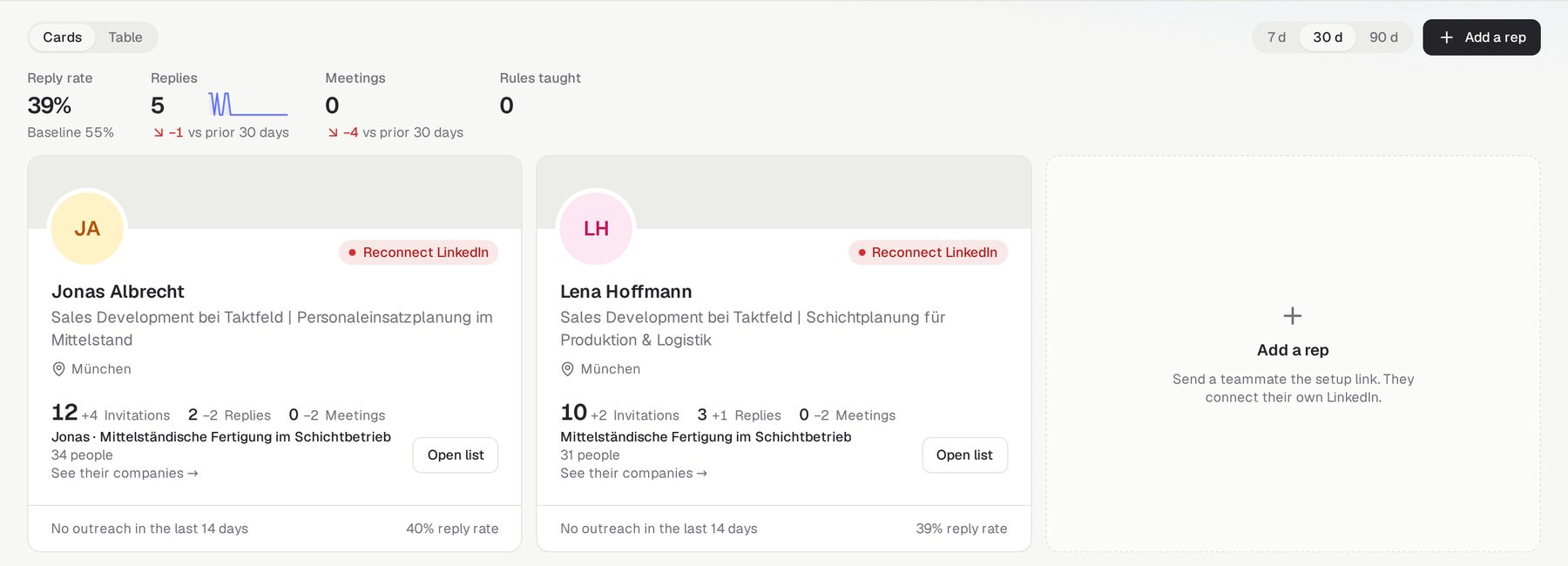
- Session-based access. Checkgrow acts through your own authenticated LinkedIn session. If the session expires, actions stop and your profile card shows a Reconnect badge — nothing runs on a dead session.
- You can disconnect at any time from Integrations, which immediately stops all LinkedIn activity for your profile.
Daily limits and human pacing
Automated activity is what gets LinkedIn accounts flagged — high volume, robotic timing, around-the-clock action. Checkgrow's automation is built to look and behave like a careful human:
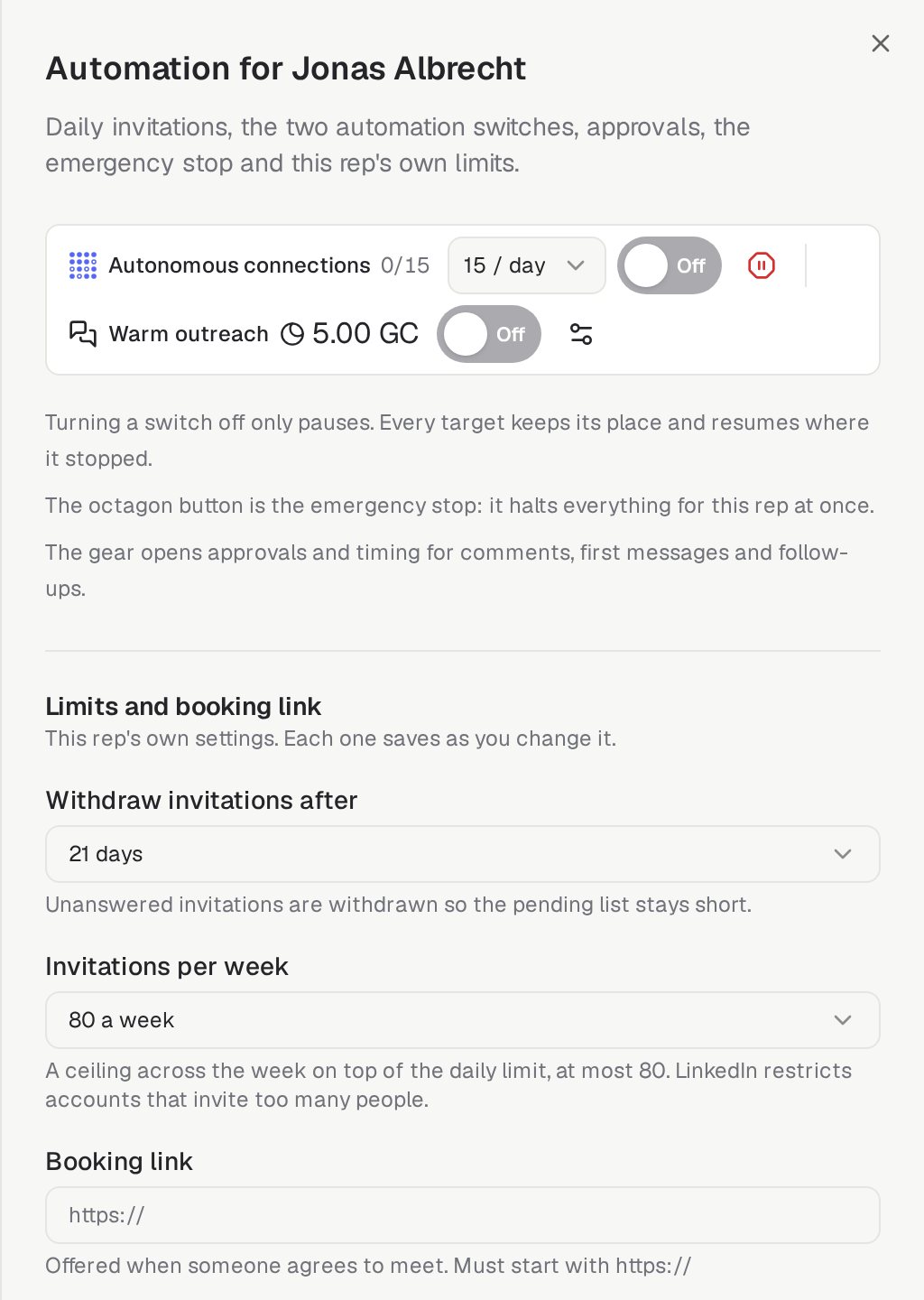
Connection requests — capped and paced
Commenting — one per target per day
Messaging — approved references, human review
No retries, no pile-ups
Scans on cooldown
You approve everything
Nothing publishes silently. The Sales Brain proposes comments and messages; each one waits for your Approve, Edit or Disapprove before it enters the publishing queue — and the queue itself shows exactly what will publish, as whom, and when. Approving as a representative publishes under that person's name only after their proposal is reviewed.
This human-in-the-loop design is not just quality control — it is a compliance safeguard. Content that a person reviewed and approved, published at human pace within daily caps, is the activity profile of a normal engaged professional.
An honest word about risk
No automation is zero-risk
LinkedIn's terms restrict automated activity, and LinkedIn alone decides how it treats any account. We cannot — and no vendor honestly can — guarantee immunity. What we can do is keep your activity well inside the volumes and patterns associated with normal professional use, which is exactly what the limits above are for.
Practical recommendations to keep your risk minimal:
- Keep the daily limit conservative — start at the low end (3–5/day) and increase gradually, especially on newer or less active accounts.
- Stay active yourself. An account that also browses, posts and engages naturally has a healthier profile than one that only automates.
- Review proposals meaningfully. Editing proposals before approving keeps content personal — and teaches your Sales Brain at the same time.
- Use the Emergency stop if anything feels off, and reconnect only when you are comfortable.
In day-to-day use with the default limits, users can relax: the combination of your own session, your approval on every action, conservative caps and human pacing keeps your account within LinkedIn best practices as far as is realistically possible.
Related pages
Sales — the feature that uses this connection
Companies — where your targets come from