
Competitors
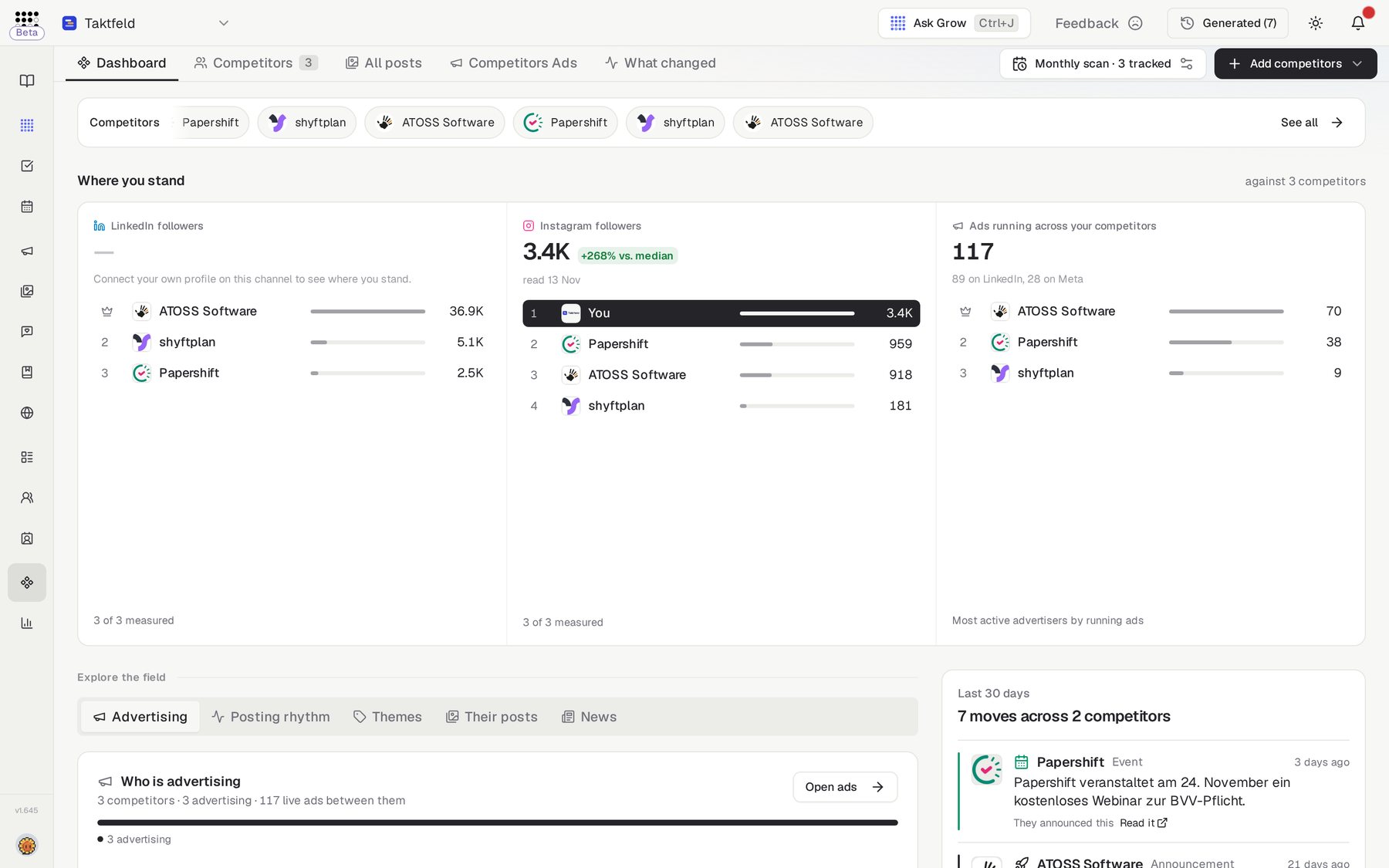
Discover and monitor competitors: website positioning, social growth, live LinkedIn and Meta ads, news and AI takeaways in one dashboard.
Overview
Competitors is a market-monitoring workspace. It discovers your direct and indirect competitors plus global market leaders, researches each website and its positioning, finds their LinkedIn, Instagram and Facebook profiles, tracks follower growth, and pulls the LinkedIn and Meta ads they are running right now.
The workspace has five tabs: Dashboard (default), Competitors (with a count), All posts, Competitors Ads and What changed.
Intelligence that feeds your AI
Competitor data flows into AI Assistant answers and into the competitive context of Campaigns — research it once and every workflow that needs market awareness uses it.
Who needs it
Competitors serves anyone who has to answer "what is the market doing?":
- Founders and strategy leads keeping a live view of positioning, news and market movements.
- Marketers studying competitors' currently-running LinkedIn and Meta ads before planning their own campaigns.
- Social media managers benchmarking follower growth and top posts against the field.
- Sales teams who need talking points on how they differ from the alternatives a prospect is considering.
Spotted a competitor worth selling against — or learning from? Track them as a company in Companies to run the full research cascade; tracked-company reports can also push a competitor into full tracking.
How to use it
- Scan with AIOn first visit you'll see "Discover Your Competitive Landscape". Click Scan with AI (it also auto-runs once when the list is empty) to let AI identify key competitors and global leaders in your industry.
- Add CompetitorClick Add Competitor and enter the company name AND its website URL — the platform researches exactly that URL and never swaps it for a different domain. Pick the type (Direct Competitor, Indirect Competitor or Global Leader) and click Add & Research. Need more? Research +5 finds 5 more market leaders, deduplicated against your list.
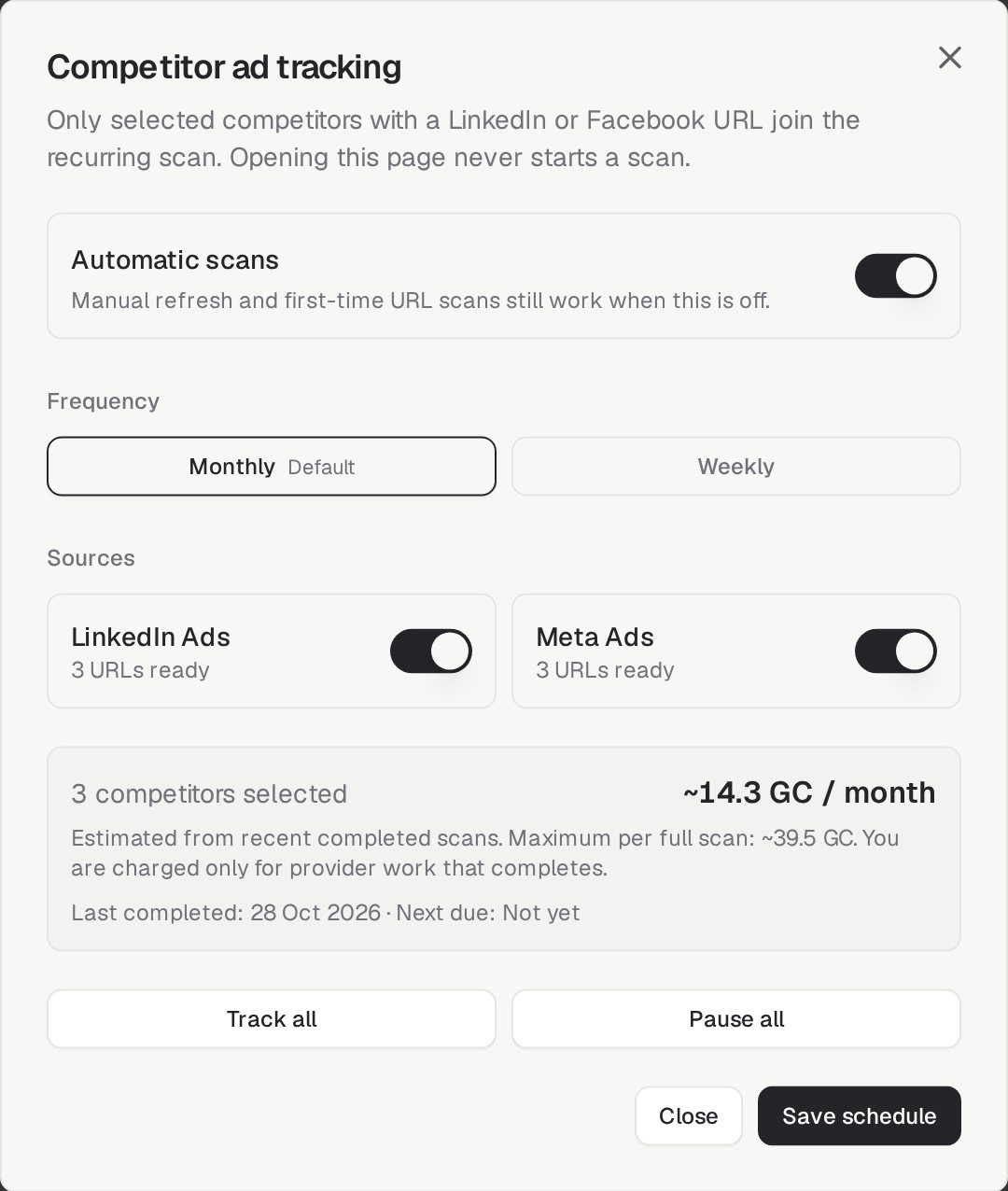
- Set the ad scanAt the top right, click the scan button. It reads Monthly scan or Weekly scan and how many competitors are tracked. In Competitor ad tracking, switch Automatic scans on or off, pick the Frequency, choose the Sources (LinkedIn Ads, Meta Ads) and the competitors to track. The window shows the estimated Growth Credits per month and the maximum per full scan; you are charged only for work that completes. Click Save schedule. Opening the page never starts a scan. To refresh follower counts and posts, use Refresh intelligence on Social Media → Dashboard. Reliable growth charts appear once two real updates exist on different weeks.
- Turn on Automatic updatesUse the Automatic updates toggle and choose Weekly or Monthly so intelligence refreshes on its own.
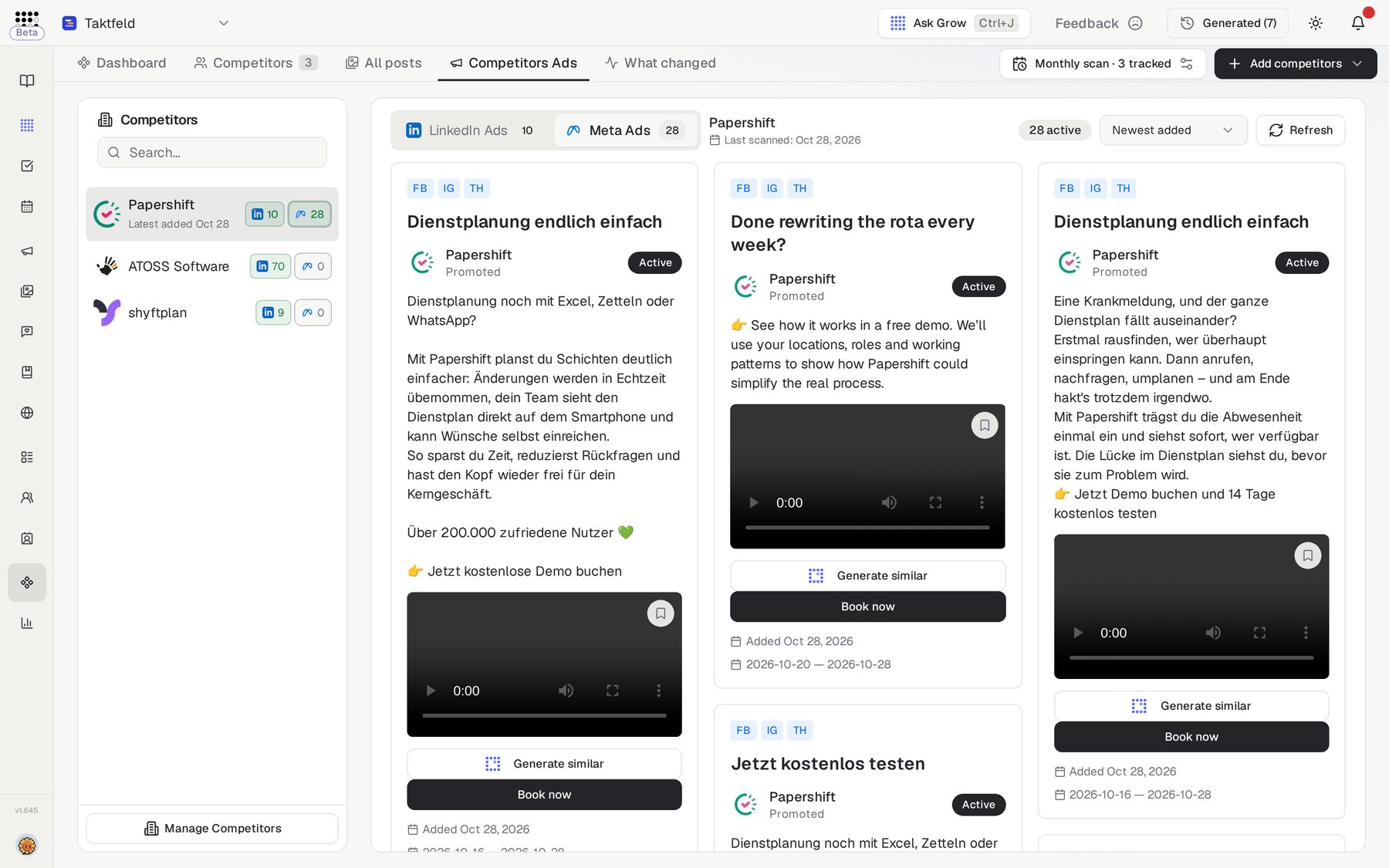
- Inspect their adsOn the Competitors tab, each row shows LinkedIn and Meta ads buttons showing how many active ads each competitor is running — click one to view them. Clicking one opens the Competitors Ads tab pre-filtered to that competitor.
Dashboard and detail reference
Dashboard tab
"Competitor intelligence — Company themes, website positioning, news, content and advertising signals in one view." Widgets cover themes, a keywords map, latest social posts, ads analysis, a social snapshot, news, AI takeaways, market position, social growth and top posts.
Competitors tab
Search your list and switch between Table view and Card view. Per row: refresh research, remove, and the LinkedIn and Meta ads buttons.
Competitor detail sheet
Opens with tabs Overview, Website, LinkedIn and Instagram, plus Refresh Research and See Active Ads actions.
Related features
Companies — track a competitor as a company for the full research cascade