
Features & Items
A card-based catalogue of individual features, items and specifications, linked to products and use cases.
Overview
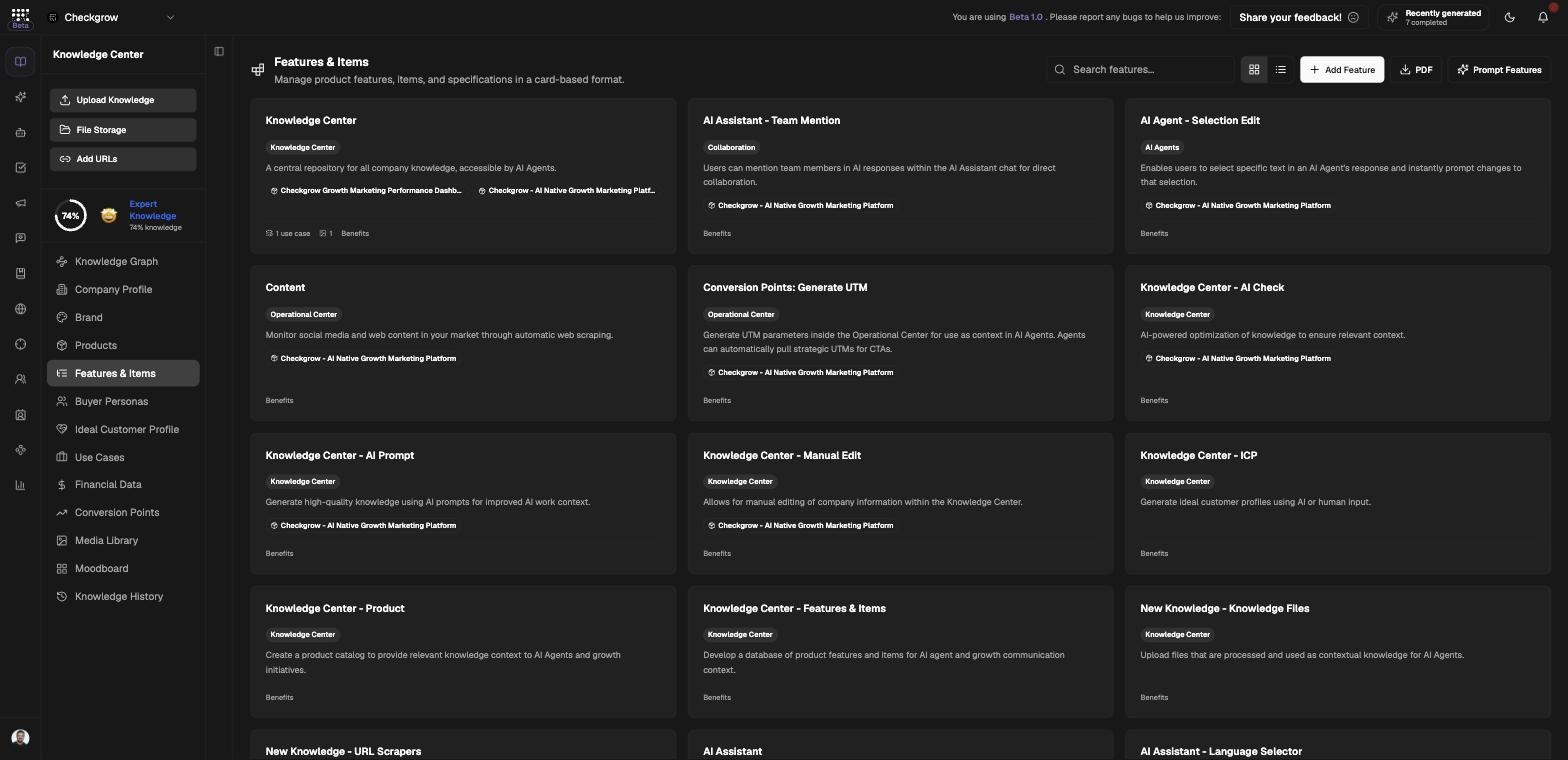
Features & Items is a separate catalogue below the product level: individual features, items and SKUs, each with a title, category, description, short description, benefits, media, and links to Products and Use Cases. As the page puts it: "Manage product features, items, and specifications in a card-based format."
This detail feeds the product detail view (as linked features), AI Assistant retrieval and the Knowledge Graph — so the AI can answer specific questions like "does it support X?" instead of staying vague.
Import a whole spec sheet in one go
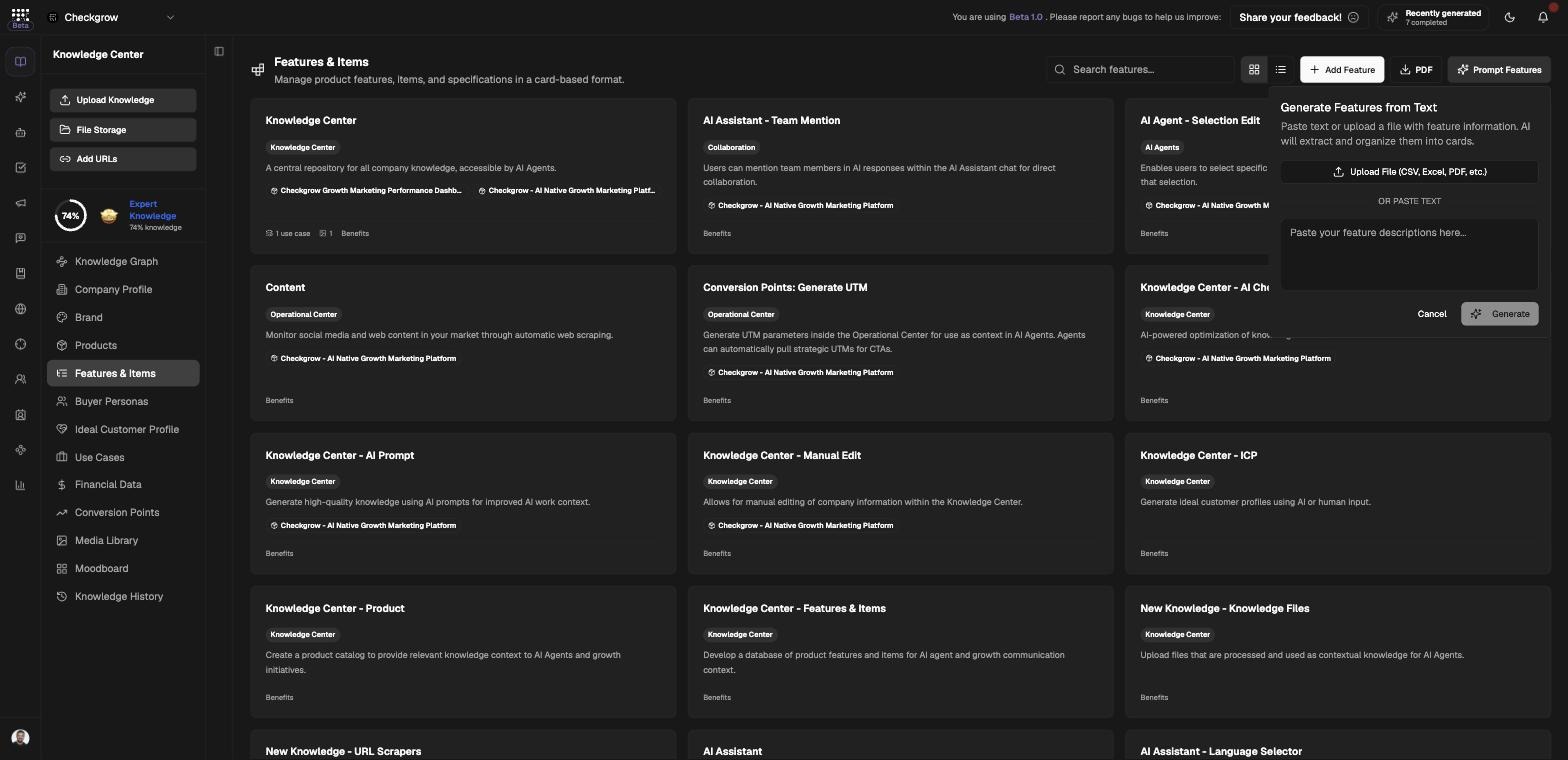
You don't have to type features one by one — Prompt Features turns a pasted text or an uploaded spec file into organized feature cards automatically.
Who needs it
Build out this catalogue if you are:
- A product marketer — benefit-level detail here becomes concrete claims in AI-written copy.
- Selling a technical product — specifications live here, so the AI Assistant can answer feature questions accurately.
- Migrating from spreadsheets — import your existing feature list via Prompt Features instead of retyping it.
- Managing a large catalogue — items and SKUs that are too granular for the Products page belong here.
Use the search field and the card/table toggle to keep large catalogues manageable, and the PDF export to share the full list outside the platform.
How to use it
- Add a single featureClick Add Feature. A "New Feature" is created and its detail dialog opens — fill in the title, category, description, short description and benefits, and add media.
- Import many with Prompt FeaturesClick Prompt Features. The "Generate Features from Text" popover lets you paste text or upload a file with feature information — CSV, Excel or PDF up to 10MB — and the AI extracts and organizes everything into cards.
- Link to products and use casesIn a feature's detail dialog, link it to the Products it belongs to and the Use Cases it enables. These links show up on the product detail modal and as connections in the Knowledge Graph.
- Export as PDFClick PDF in the header to download the whole feature catalogue as a document.
Products vs. Features & Items
When something belongs in Products
If it has its own price, its own audience and its own positioning, it's a product — put it in Products. The campaign builder selects from products, not features.
When it belongs in Features & Items
If it's a capability, module, item or SKU inside a product — something you'd list on a spec sheet — it belongs here, linked to its parent product. This keeps the product page readable while the detail stays retrievable by the AI.
How the two connect
Each feature can link to one or more products and use cases. Open a product's detail modal and its linked features appear there; open the Knowledge Graph and the same links appear as edges.
Related features
Products — the parent catalogue features link into
Use Cases — the customer situations features enable
AI Assistant — retrieves feature detail when answering questions