
Buyer Personas
The people side of your audience — AI-generated personas that campaigns target and every AI feature understands.
Overview
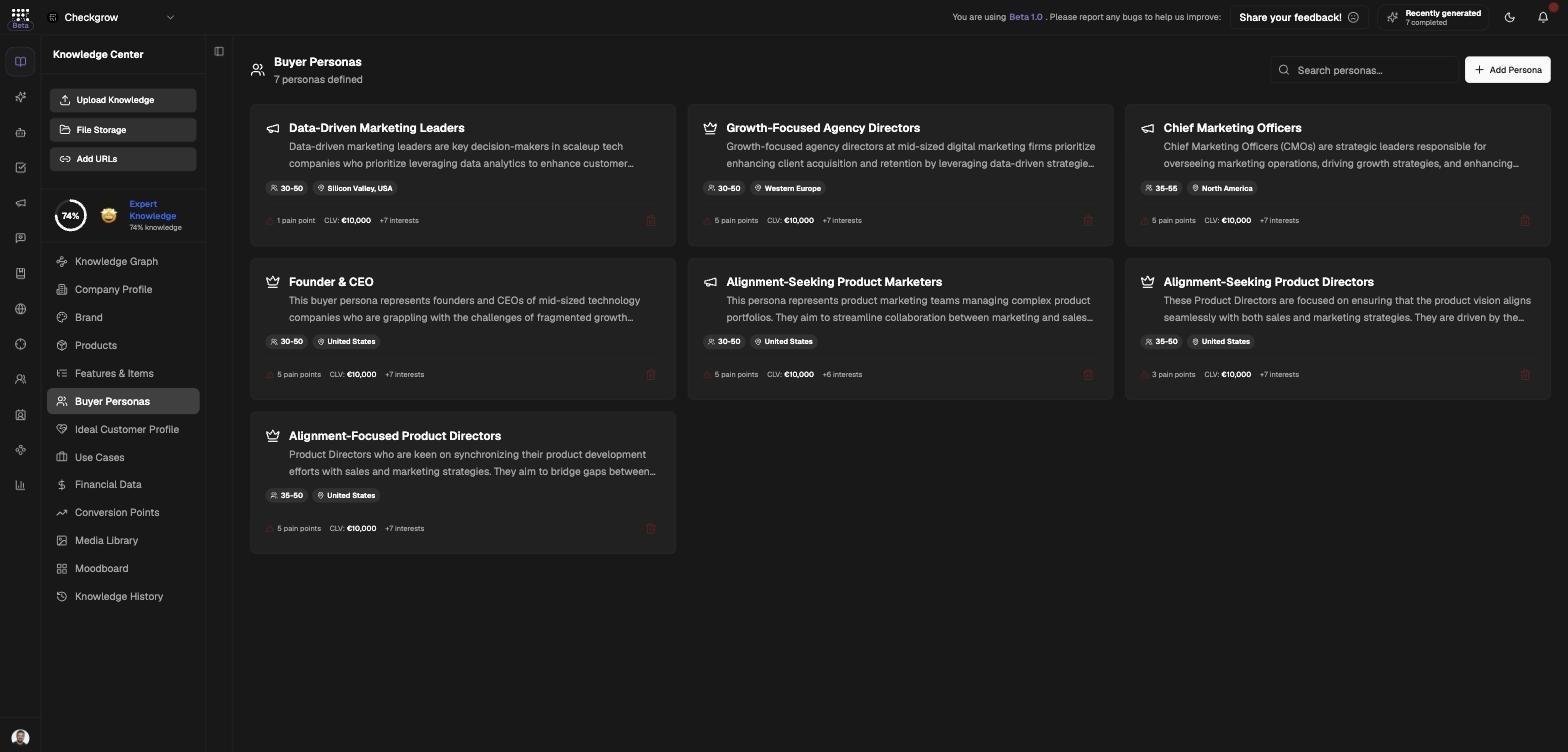
Buyer Personas describe the people side of your audience: who they are, what they struggle with, what motivates them to buy and what makes them hesitate. Each persona covers demographics, psychographics, interests and behaviors, pain points, buying motivations and objections — with a "How to Address" answer for each objection.
Personas are the audience your campaigns target, and they give the AI Assistant and AI Agents a real picture of who your marketing speaks to.
Personas target people; ICPs target companies
Buyer Personas drive campaign audience targeting — the campaign builder lists your personas as selectable audiences — and feed AI context. Company-level lead discovery is a different job, done by your Ideal Customer Profile.
Who needs it
Define personas if you are:
- Launching campaigns — the campaign builder asks which persona each campaign targets.
- Writing content or ads — pain points and buying motivations written here shape the AI's copy.
- Aligning marketing and sales — a shared persona means everyone describes the customer the same way.
- Handling objections — each persona stores objections and how to address them, ready for messaging.
The onboarding website scan usually drafts your first personas automatically — start by reviewing those before creating new ones.
How to use it
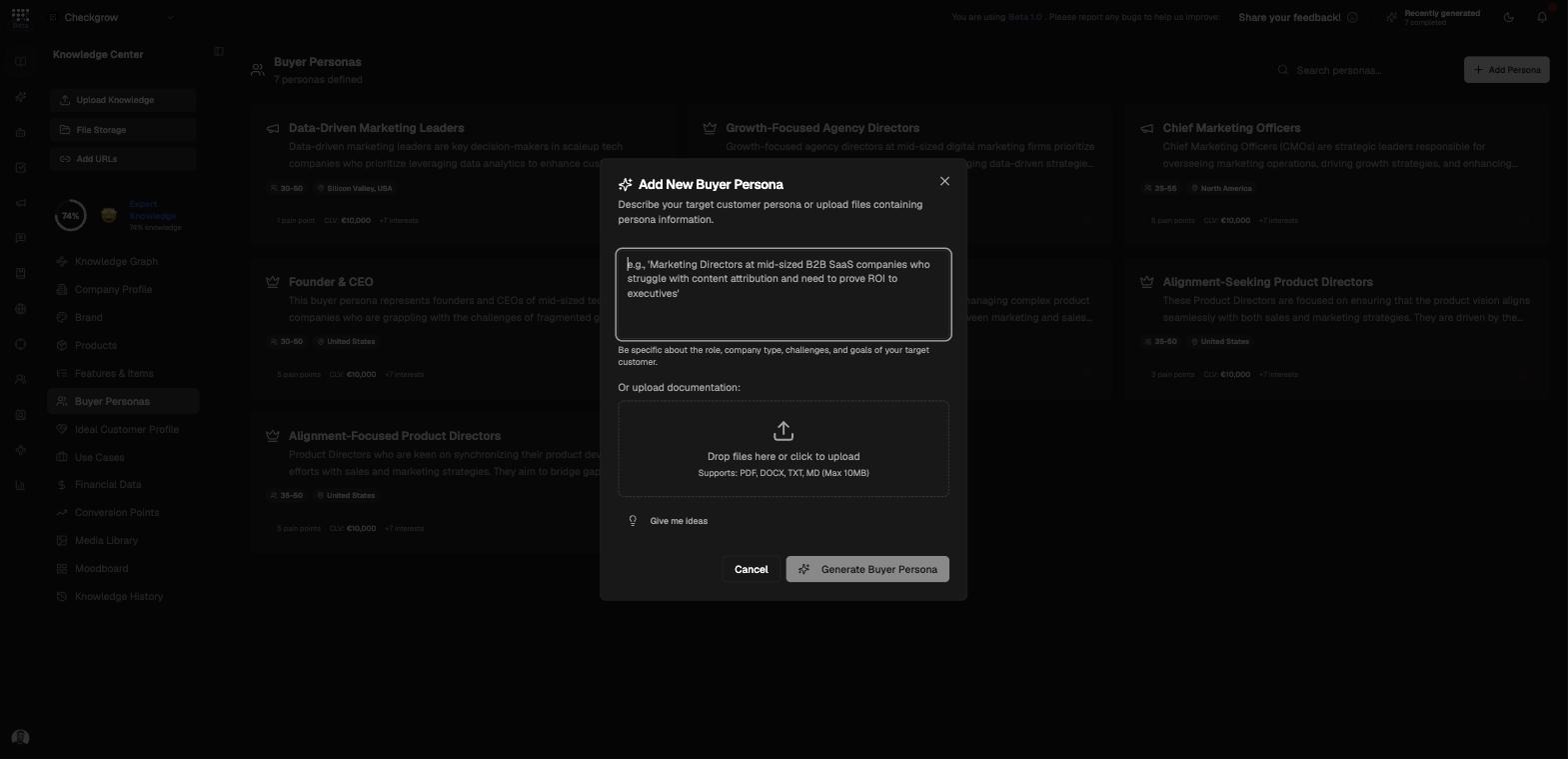
- Add PersonaClick Add Persona (or Create Your First Buyer Persona on the empty page) to open the "Add New Buyer Persona" dialog.
- Describe who you have in mindType a description — for example "Marketing Directors at mid-sized B2B SaaS companies who struggle with content attribution..." — and click Generate Buyer Persona. The AI expands it into a complete persona.
- Or generate from documentsUpload existing research instead — PDF, DOCX, TXT or MD files up to 10MB — and the AI builds the persona from your material.
- Or ask for ideasNot sure where to start? Click Give me ideas and the AI suggests personas based on your company knowledge — pick one and generate it.
- Refine section by sectionOpen a persona to edit each section in the detail overlay, use the per-item AI enhance to sharpen individual entries, and delete a persona (with confirmation) when it no longer fits.
What a persona contains
Identity and audience
Persona name, description, general audience and interests — the quick summary of who this person is.
Demographics and geography
Gender, age, education, income, job titles and locations, plus geographic distribution — the measurable facts about the person.
Psychographics and behavior
Psychographics, interests & behaviors and customer lifetime value — how this person thinks, acts and what they're worth over time.
Problems, motivations and objections
Problems, pain points, buying motivations, and objections/hesitations each paired with a "How to Address" answer — the messaging core the AI leans on when writing for this persona.
Where personas are used
Personas power two things:
- Campaign audience targeting — campaigns store the personas they target, and the campaign builder lists your personas as selectable audiences. In the Knowledge Graph, this shows as a "Targets" connection between campaign and persona.
- AI context — the AI Assistant and AI Agents read your personas whenever they write, plan or advise, so their output speaks to the right people.
Not for lead discovery
Personas are never used to find leads. Finding and scoring companies is the job of your Ideal Customer Profile — the firmographic, company-side target.
Related features
Campaigns — select personas as the audience for each campaign
AI Assistant — uses personas as context in every chat
Ideal Customer Profile — the company-side counterpart for lead discovery