
Ideal Customer Profile (ICP)
The firmographic companies you sell to — powering lead discovery, sales targets, fit scoring and AI context.
Overview
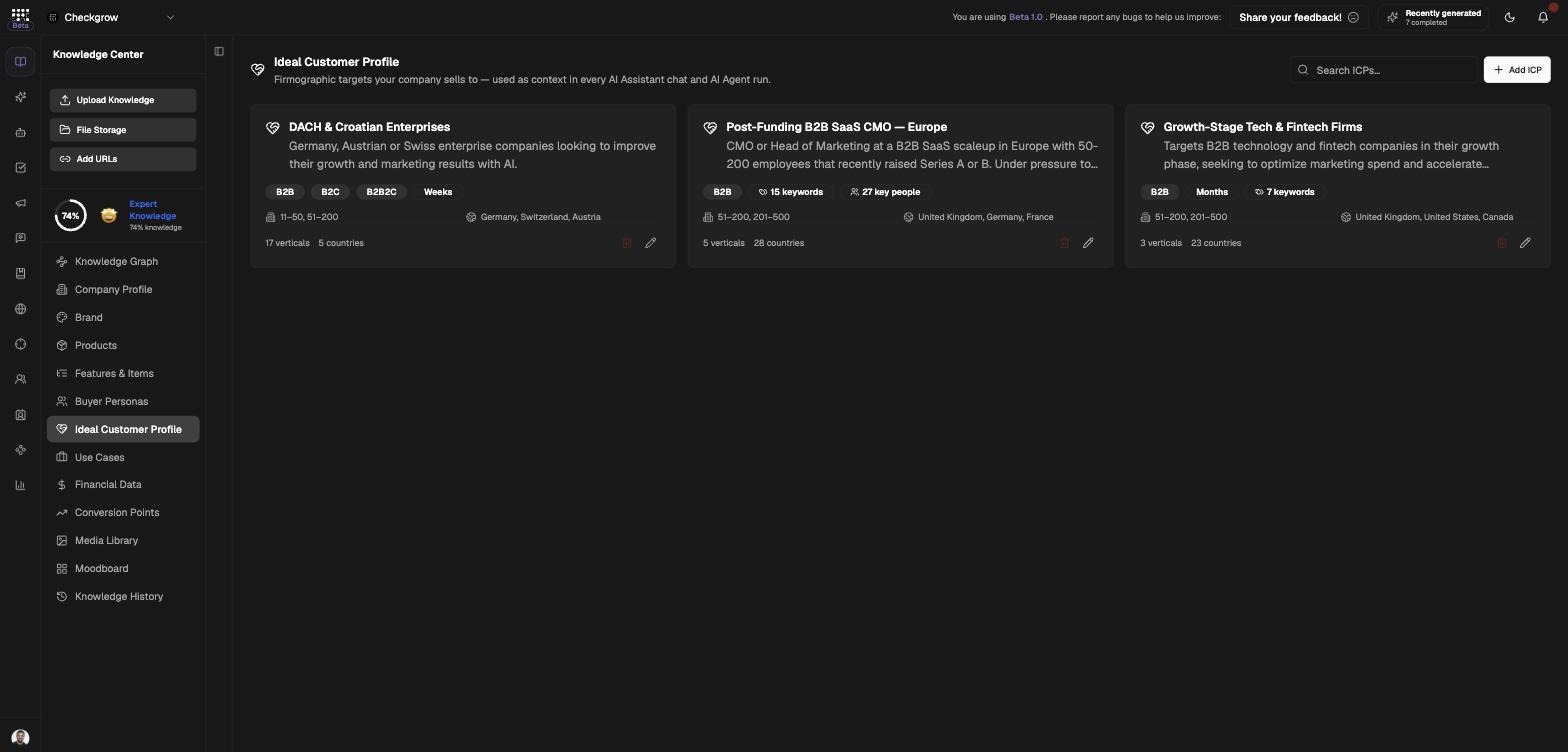
Your Ideal Customer Profile describes the companies you sell to — "Firmographic targets your company sells to — used as context in every AI Assistant chat and AI Agent run." An ICP defines business types (B2B, B2C, B2B2C, B2G), sales cycle, headcount and revenue bands, target countries, industry verticals, keywords, target seniorities and the titles of the key people you sell to.
Where Buyer Personas describe the people your marketing speaks to, the ICP is the company-side target — it drives lead discovery, sales targets, fit scoring and AI context across the platform.
The single highest-leverage record in your Knowledge Center
One well-defined ICP powers lead search in Companies, auto-built targets in Sales, fit scores on every tracked company, Sales Brain messaging lanes and the context behind every AI conversation.
Who needs it
Define at least one ICP if you are:
- Prospecting — lead search in Companies is blocked until an ICP exists ("Pick a target before searching").
- Running a sales team — the ICP's key people titles decide which contacts are found and scored on every tracked company.
- Serving multiple markets — create one ICP per segment and mark your canonical one as primary.
- Using the AI daily — the ICP is injected into every assistant chat and agent run, keeping strategy advice pointed at the right companies.
If the page shows "Define your Ideal Customer Profile", click Add your first ICP — Generate from company knowledge drafts one for you in seconds.
How to use it
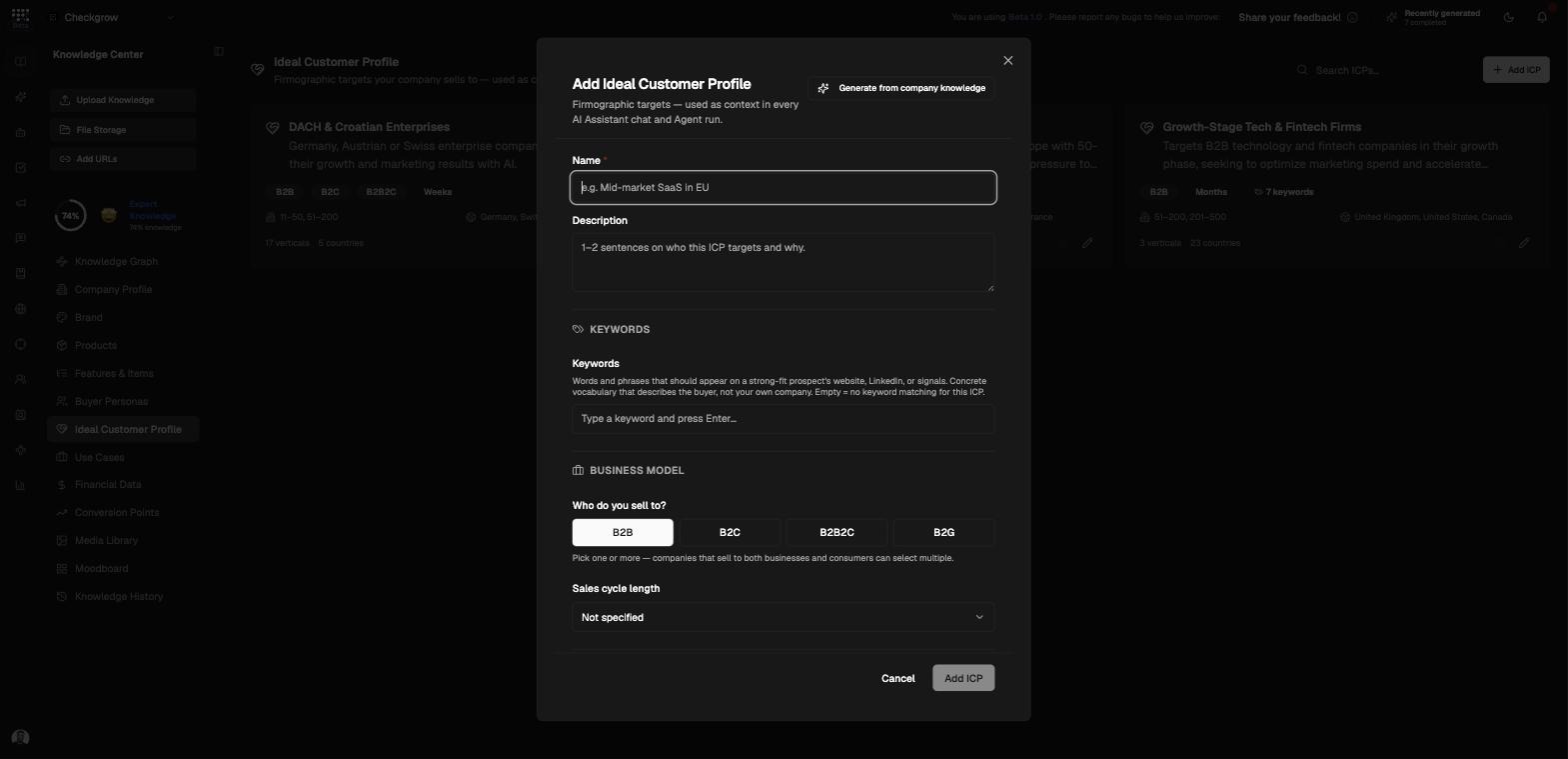
- Add ICPClick Add ICP to open the dialog, then click Generate from company knowledge to let the AI draft the whole profile from what the platform already knows about your business.
- Confirm the business modelIn the Business Model section, answer "Who do you sell to?" (B2B, B2C, B2B2C or B2G) and set the "Sales cycle length".
- Set firmographics and geographyPick any number of "Company size (employees)" and "Annual revenue" bands, choose your "Target countries", and select industry verticals from the LinkedIn taxonomy. Add keywords to sharpen matching.
- Define the key peopleIn the Key People section, set the "Target seniority" and add job titles — click "Suggest titles" and the AI proposes titles to add to the selected chip list.
- Mark as primary ICPToggle Mark as primary ICP on your canonical profile — one primary ICP per company — then save.
Where your ICP works for you
The ICP isn't a document that sits still — it actively powers five parts of the platform:
1. Find leads
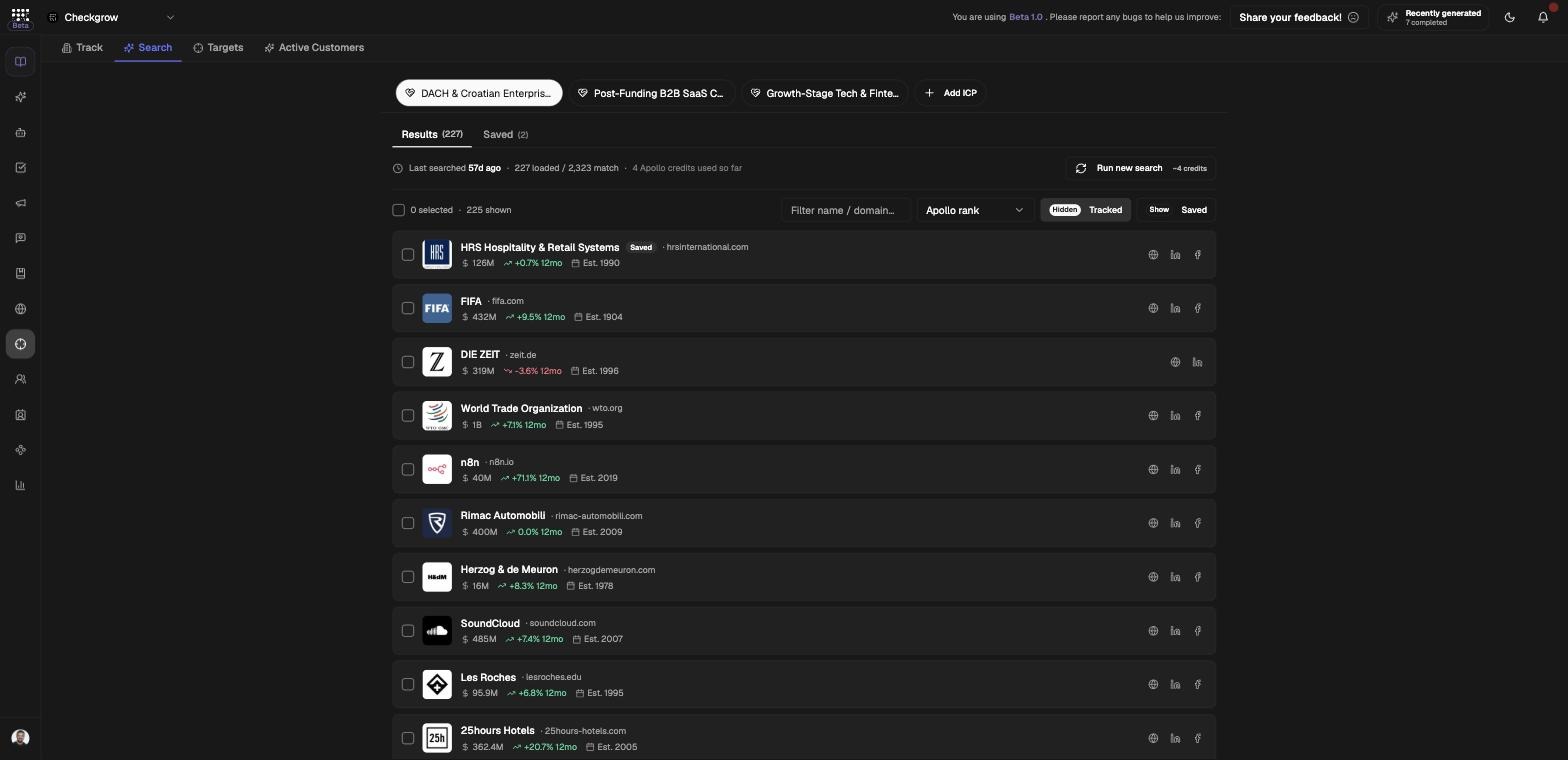
In Companies → Search, your ICP is converted into the company search query. Click Run search to find up to 400 matched companies. Without an ICP the search is blocked — "Pick a target before searching".
2. Build sales targets
The ICP's key people titles decide which people are searched on each tracked company's LinkedIn and auto-scored 0–100. Matches appear as "ICP target" rows (with the matched title) in Companies → Targets, and mirror live into each rep's target list in Sales.
3. Company fit scoring
The ICPs selected in Tracker Settings drive the 1–10 AI fit score shown on every tracked company, so your team sees at a glance how well a company matches your target.
4. Sales Brain audiences
Each ICP can become a messaging lane in the Sales Brain, with its own approved message references — so outreach to different company types stays consistent.
5. AI context everywhere
Your ICP is injected as an "Ideal Customer Profile" block into every AI Assistant chat and AI Agent run — this is how it informs campaign strategy discussions. Note that actual campaign audience targeting uses Buyer Personas, not the ICP.
Related features
Companies — search for leads and track targets matched to your ICP
Sales — where ICP-matched targets land in each rep's list
Buyer Personas — the people-side counterpart for campaign targeting