
Website Scan
How Checkgrow researches your website and builds your Knowledge Center automatically.
Overview
The Website Scan is your starting point in Checkgrow. You give the platform one thing — your website address — and it does the heavy lifting: it reads your site, runs AI research on top of it, and organizes what it learns into your Knowledge Center.
Instead of filling in dozens of empty forms, you start from a knowledge base that is already largely built — and spend your time correcting and enriching it.
Why it matters
Every AI feature — campaigns, creatives, agents, sales targeting, the assistant — works from this knowledge. A well-built Knowledge Center is the difference between generic AI output and output that sounds like your company.
What the scan builds
The scan combines what your website says with AI research about your market. Out of it, Checkgrow drafts the core of your Knowledge Center:
Company Profile
Brand identity, logo & colours
Products & Use Cases
Audience & personas
Competitors
Media
How it works
Without going deep into the technical side: the platform crawls your public website pages, then runs a series of AI research steps on top — understanding your positioning, your market and your audience — and writes the results into the right Knowledge Center sections. Each section shows its progress while it is being enriched, and everything lands with a full audit trail in your Knowledge History.
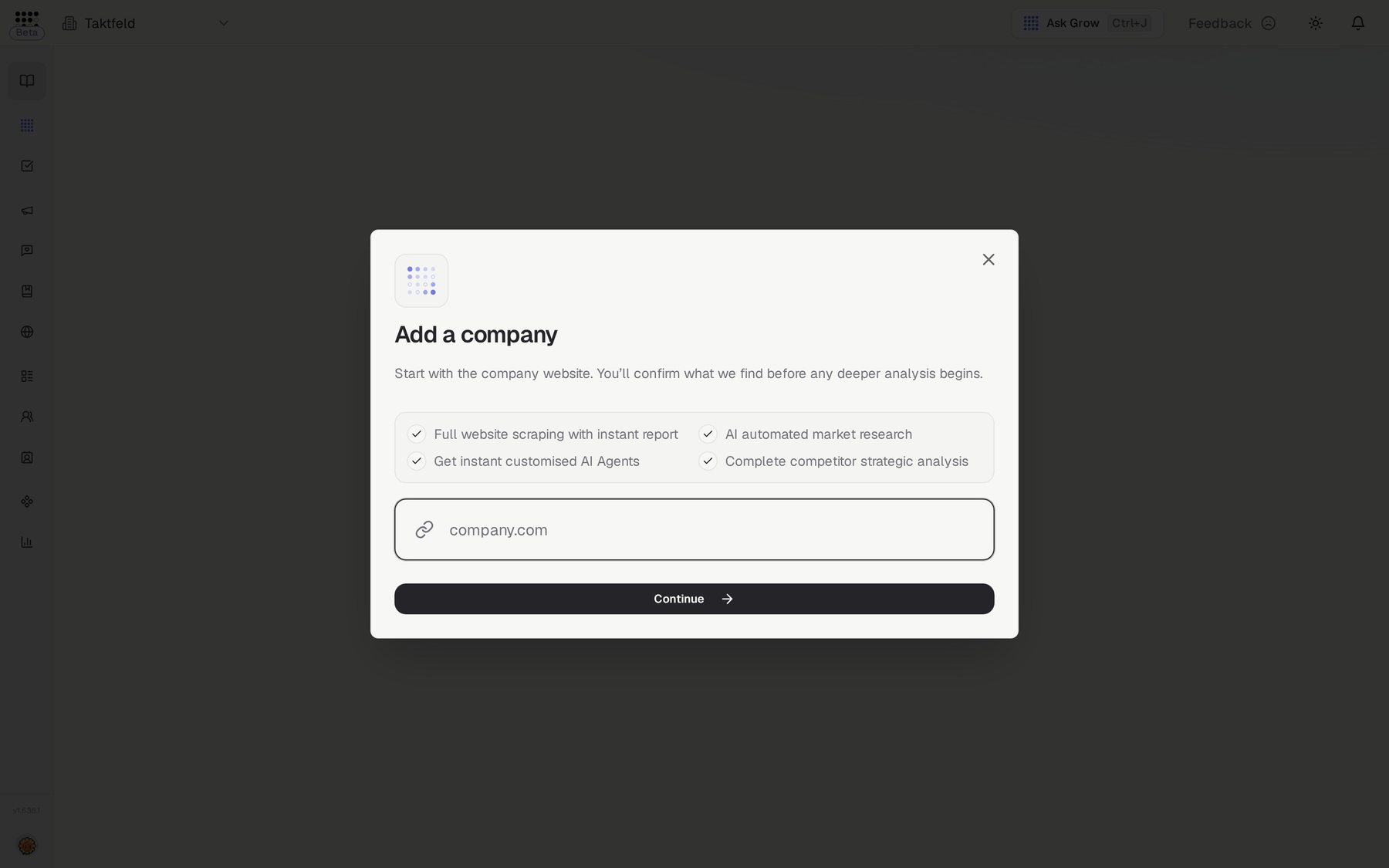
- Add your websitePaste your website address when you add your company, and click Continue. Checkgrow opens your first results page, where progress appears as the build runs.
- Confirm your details and let it runOn the Is this you? card, check your industry, country, writing language and social profiles, then click Looks right. These details shape everything Checkgrow writes for you. The build then runs in the background, so you can keep using the platform.
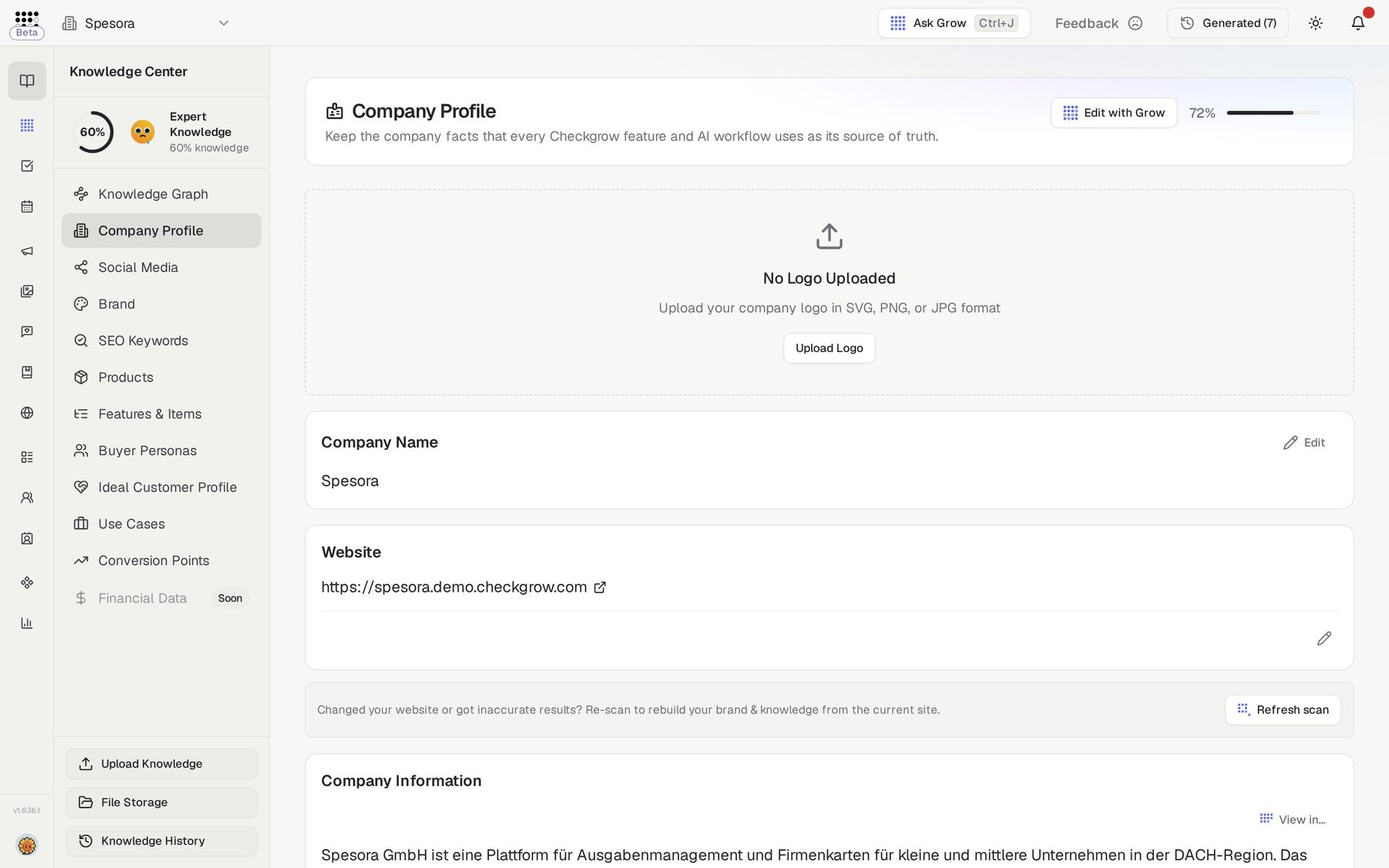
- Review what was builtOpen the Knowledge Center and read through each section. Your Knowledge Score (visible in the sidebar) shows how complete your knowledge is — from Novice up to Master.
- Correct and enrichFix anything the scan got wrong with a click, use AI Check on empty fields, or use Edit with Grow to change whole sections. The scan gives you a strong draft — your corrections make it yours.
- Refresh the scan when your site changesRelaunched your website? On Company Profile, click Refresh scan. The confirmation window shows the estimated cost before you start. A refresh replaces everything the scan built, including brand, products, use cases, competitors and buyer personas, and it removes anything you edited or approved in those sections. Your integrations, campaigns, chat history and uploaded files are kept. Only company admins can run it.
After the scan
With your knowledge in place, the platform opens up: the AI Assistant answers with your real context, Campaigns generate briefings grounded in your products and personas, and AI Agents write in your voice.
A few sections are yours to complete by hand — the scan can't know your financial metrics or your Ideal Customer Profile. Filling those two unlocks fit scoring, lead discovery and sales targeting.
Related features
Platform Overview — tour of every feature