
Platform Overview
What Checkgrow is, how it works, and a tour of every feature — with links to each guide.
Overview
Checkgrow is an AI growth platform for your whole go-to-market: it researches your company, builds a living knowledge base about it, and then puts that knowledge to work — generating campaigns and ad creatives, running AI agents, finding and engaging sales targets, monitoring competitors, and reporting on what converts.
Everything starts from one idea: the more the platform knows about your company, the sharper everything downstream becomes.
One knowledge base, every feature
Your Knowledge Center is the fuel: campaigns, creatives, agents, sales targeting and the AI Assistant all draw on the same company knowledge — update it once and every workflow uses the new context.
How Checkgrow works
- Scan your websiteAdd your website and Checkgrow researches it automatically — brand, products, audience, competitors and more become your starting Knowledge Center. See Website Scan.
- Refine your knowledgeReview what the scan built, fix anything, and let per-field AI or Grow fill the gaps. Your Knowledge Score shows how complete you are.
- Put the AI to workLaunch campaigns, run AI Agents, build sales outreach and read Insights — all grounded in your own data.
Knowledge Center
The single source of truth about your company. Thirteen connected areas:
- Knowledge Graph — explore everything the platform knows as an interactive constellation.
- Company Profile — your identity record: what you do, vision, offer, contacts and market.
- Brand — logo, colours, typography, tone of voice, and a generated Design System.
- Products — your catalogue with positioning, prices and media.
- Features & Items — individual features and specs, linked to products and use cases.
- Buyer Personas — the people you market to; they drive campaign audience targeting.
- Ideal Customer Profile — the companies you sell to; it powers lead discovery, sales targets and fit scoring.
- Use Cases — the concrete situations customers use you for.
- Financial Data — revenue, MRR/ARR, deal metrics and funding.
- Conversion Points — the pages where visitors convert, with a UTM Builder for campaign links.
- Media Library — your images and videos, scanned from your site or uploaded.
- Moodboard — visual references that guide AI ad generation.
- Knowledge History — every change logged for 30 days, with one-click recovery.
Operations
Your daily command centre:
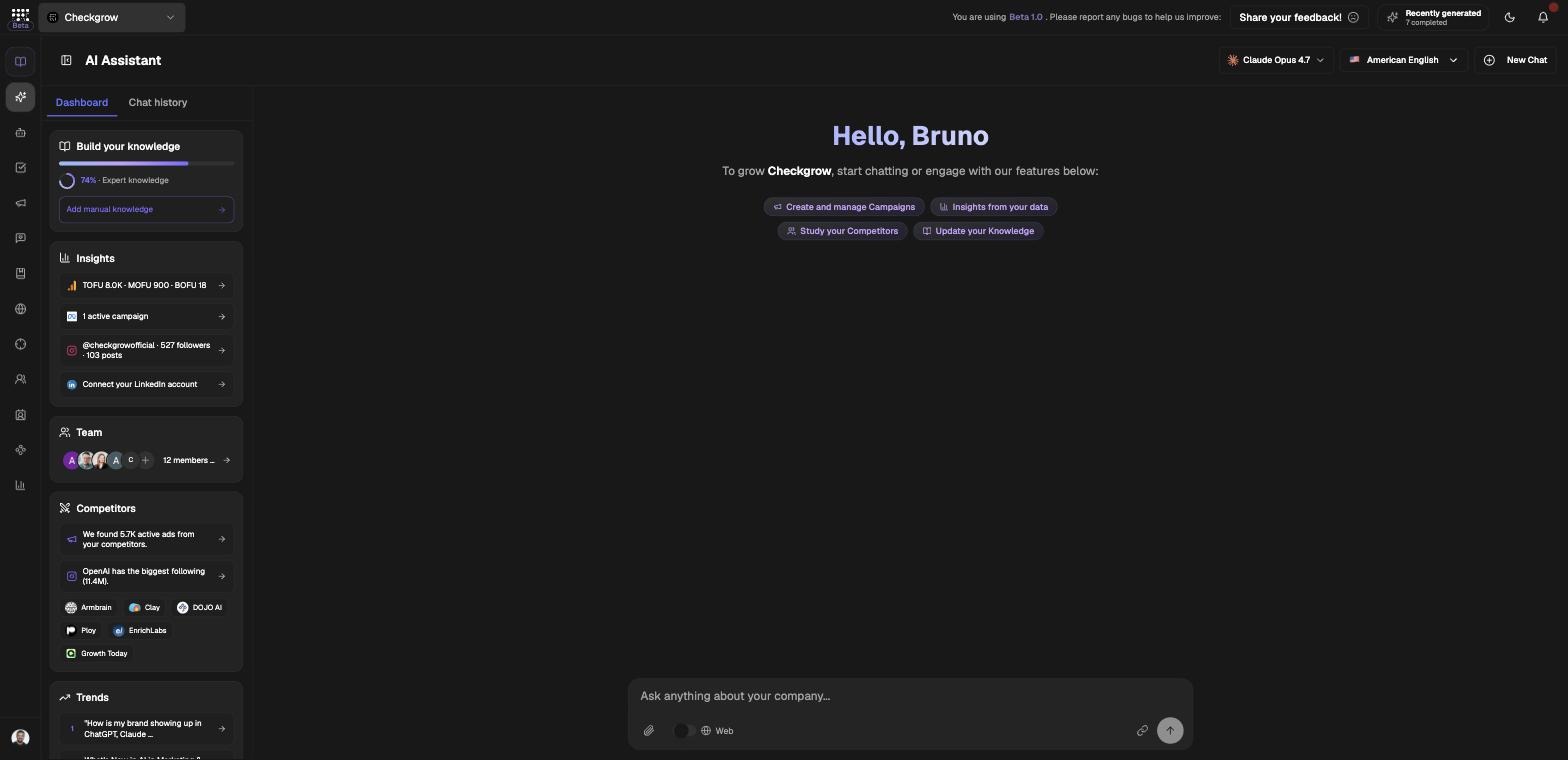
- AI Assistant — your home screen and copilot in one: a live dashboard sidebar (knowledge score, insights, team, competitors, trends) next to a chat that answers from your data and can act — update knowledge, create campaigns, pull reports and run agents, always with your confirmation.
- AI Agents — specialised AI workers for LinkedIn posts, emails, ads, articles and more; results become editable, approvable deliveries.
- Tasks — the execution board where AI output, recommendations, milestones and manual work all become trackable work.
Marketing
From strategy to creatives to measurement:
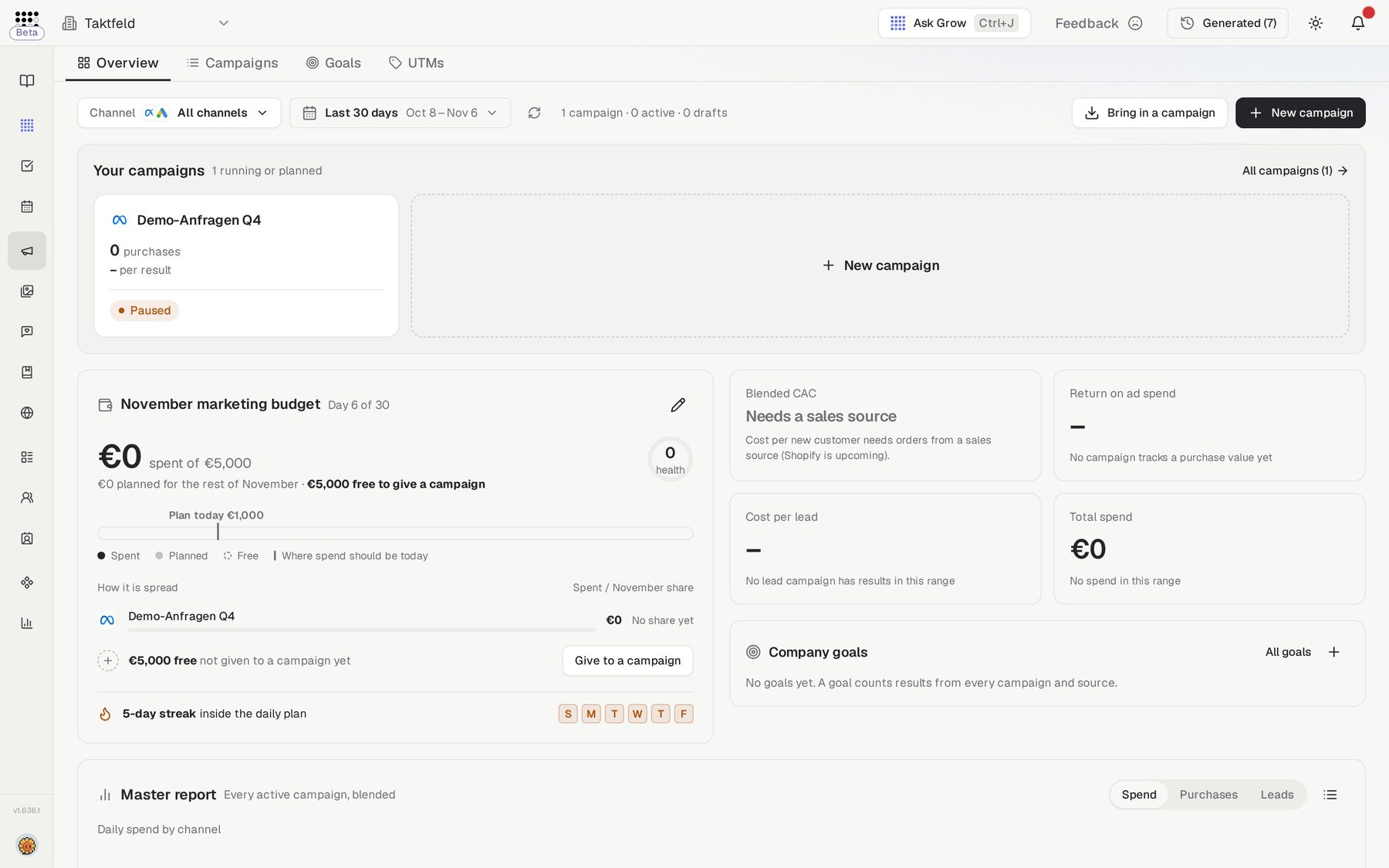
- Campaigns — brief a campaign by chat or wizard; get a full AI briefing (goal, funnel, channel strategies, roadmap), then generate ad copy and on-brand images per channel and stage.
- Social Media — social intelligence and engagement: your Instagram performance, competitor benchmarks, and AI-drafted replies and LinkedIn comments.
- Content — an industry-trends radar that curates the articles shaping your market and turns them into content with AI Agents.
- Website — an evidence-checked conversion audit of your site: scores, a 5-second test, blockers with exact fixes, and task ideas.
Sales, Research & Report
Sales — turn your ICP into pipeline:
- Companies — research any company with an AI intelligence report, prospect with ICP-driven company search, and build your target list.
- Sales — per-rep selling workspaces: a trained Sales Brain, paced LinkedIn connections and approve-before-publish engagement.
- Leads — Meta Lead Ads submissions with full attribution (pilot).
Research & Report — know your market and prove your results:
- Competitors — AI-discovered competitors with website, social and live-ads monitoring.
- Insights — Google Analytics events, Meta and Google Ads reporting, funnels, UTM reporting and shareable live client reports.
Next steps
Start with the Website Scan to build your knowledge base, then explore the feature guides above. For data protection and compliance, see our security documentation.